
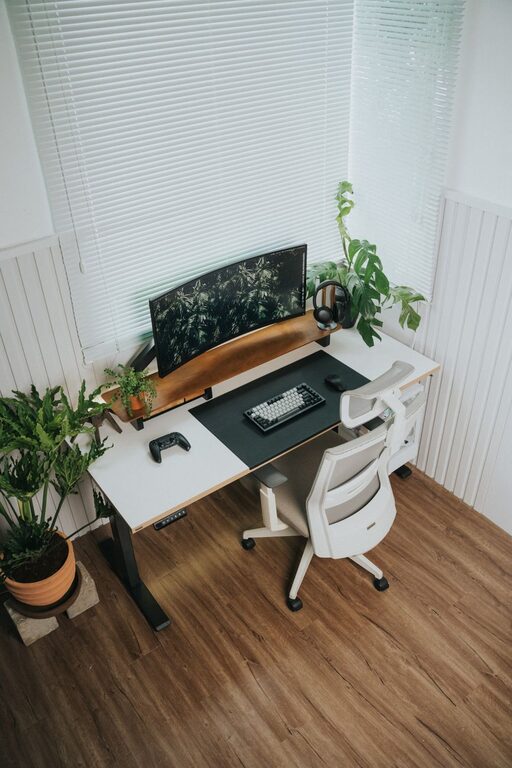
Creating a productive home office environment is essential for anyone working remotely or running a business from home. A well-organized, comfortable, and inspiring workspace can make a significant difference in your focus and output. Whether you have a dedicated room or just a small corner, these tips will help you design an environment that supports your productivity and well-being.
Choose the Right Location
Find a Quiet Spot
Start by identifying a quiet area in your home where distractions are minimal. A separate room is ideal, but if that’s not possible, use room dividers or noise-cancelling headphones to reduce interruptions.
Consider Natural Light
Natural light can greatly improve mood and energy levels. Position your desk near a window, but avoid glare on your computer screen. If natural light is limited, invest in good quality lighting that mimics daylight.
Invest in Ergonomic Furniture
Select a Comfortable Chair
An ergonomic chair that supports your back and encourages good posture is crucial. Avoid sitting on sofas or dining chairs for long periods, as these can cause discomfort and fatigue.
Opt for an Adjustable Desk
Consider a desk that matches your height and can adjust for sitting or standing. Standing desks can help reduce sedentary behavior and promote better health if used correctly.
Organize Your Workspace Efficiently
Declutter Regularly
Keep your desk clean and free from unnecessary items. Regularly sorting through papers and supplies helps maintain a tidy environment and reduces stress.
Use Storage Solutions
Shelves, drawers, and desk organizers keep essential items within reach and off your workspace, improving both aesthetics and function.
Minimize Distractions
Set Boundaries with Others
Communicate your working hours clearly to family or housemates. Use signs or closed doors to signal when you need uninterrupted focus.
Limit Digital Interruptions
Turn off non-essential notifications on your phone and computer. Use apps or tools that block distracting websites during work hours.
Personalize Your Space
Add Inspiring Elements
Incorporate plants, artwork, or photos that motivate you. A few personal touches can make your workspace more inviting and boost creativity.
Choose Calming Colors
Soft, neutral colors tend to reduce stress, but you can also add pops of color that energize you or match your brand/style.
Maintain a Routine
Set Regular Work Hours
Keeping consistent start and finish times helps create a boundary between work and personal time, enhancing focus during working hours.
Take Breaks
Short, frequent breaks improve productivity and well-being. Use techniques like the Pomodoro method (25 minutes of work, 5 minutes break) to stay refreshed.
Equip Your Office with Essential Technology
High-Speed Internet
Reliable internet connection is fundamental for remote work, video calls, and research.
Quality Headphones and Microphone
Use noise-cancelling headphones and a clear microphone to improve communication during virtual meetings.
Backup Systems
Regularly back up your work to cloud storage or external drives to prevent data loss.
Maintain Good Air Quality and Temperature
Ventilate Your Space
Fresh air helps keep your mind alert. Open windows when possible or use air purifiers to maintain clean air.
Control Temperature
Ensure your workspace is comfortably warm or cool to avoid distractions caused by discomfort.
—
Creating a productive home office is about balancing comfort, organization, and minimal distractions. Tailor your workspace to fit your needs and preferences, and you’ll find it easier to stay motivated, focused, and efficient throughout your workday. Implement these tips step by step, and enjoy a home office environment that truly supports your best work.