
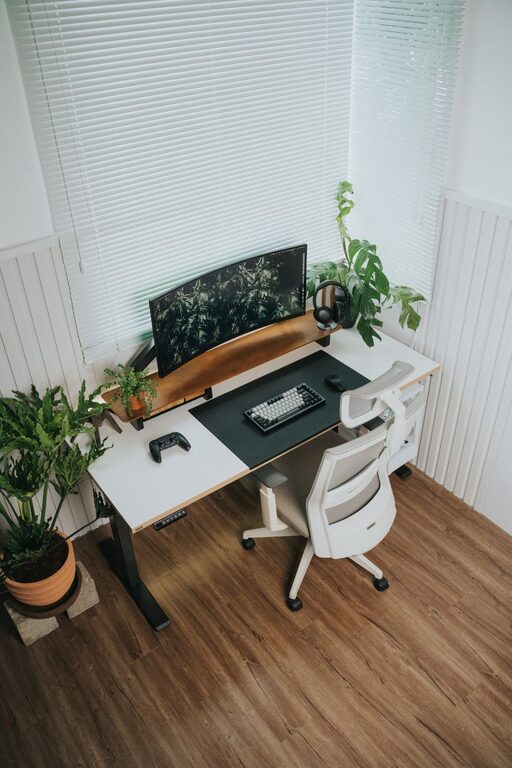
Creating a productive home office space is essential for anyone working remotely or running a business from home. A well-designed workspace can improve your focus, enhance comfort, and help separate your professional and personal life. In this post, we’ll explore practical tips to set up a home office that supports your productivity and well-being.
Why a Dedicated Home Office Matters
Having a dedicated space for work signals to your brain that it’s time to focus. It reduces distractions and helps create a routine, even when the office is just a few steps from your living room. Without a proper work area, it’s easy to blur the lines between work and relaxation, which can affect productivity and increase stress.
Choose the Right Location
Find a Quiet Spot
Look for a room or corner in your home that is quiet and receives minimal foot traffic. Avoid busy areas like the kitchen or living room, especially if others are around during your work hours.
Consider Natural Light
Natural light can boost your mood and energy levels, making it easier to stay alert. Position your desk near a window if possible, but be mindful of glare on your computer screen.
Invest in Comfortable, Functional Furniture
Ergonomic Chair and Desk
An adjustable chair that supports your posture prevents back and neck pain, which can distract you from work. Pair it with a desk that fits your space and height needs, allowing your arms to rest comfortably while typing.
Desk Space and Storage
Make sure your desk is large enough for your computer, notebook, and any other tools you use regularly. Include shelves, drawers, or organizers nearby to keep supplies tidy and within reach.
Organize Your Workspace Effectively
Declutter Regularly
Keep only the essentials on your desk to reduce distractions. Regularly remove items you no longer need to maintain a clean, inviting environment.
Use Storage Solutions
Trays, file organizers, and baskets help manage papers and office supplies, preventing clutter from building up.
Cable Management
Use clips, ties, or channels to organize cables and chargers. A tangle-free desk not only looks better but also reduces stress and accidental disconnections.
Set Up Proper Lighting
Balance Natural and Artificial Light
When natural light is limited, use adjustable LED desk lamps that provide bright, even light without causing glare or eye strain.
Avoid Screen Glare
Position your monitors perpendicular to windows and use blinds or curtains to control the sunlight.
Create a Personalized, Motivating Environment
Add Plants
Plants improve air quality and add a touch of nature, which can reduce stress and boost creativity.
Personal Touches
Include artwork, photos, or colorful accessories that make your space feel welcoming and inspiring without cluttering it.
Keep Distractions to a Minimum
Use Noise-Canceling Headphones
If your home is noisy, headphones can help block out background sounds and maintain concentration.
Set Boundaries
Communicate your work schedule to family or roommates to ensure you have uninterrupted time.
Establish a Routine and Break Areas
Set Work Hours
Sticking to regular start and end times helps create a work-life balance.
Take Scheduled Breaks
Step away from your desk periodically to stretch or relax. This refreshes your mind and prevents burnout.
If space allows, designate a separate area for breaks, distinct from your desk. This can help your brain disconnect from work during rest periods.
Manage Technology Efficiently
Reliable Internet Connection
A strong and stable internet connection is vital for video calls, file sharing, and cloud-based work.
Backup and Security
Regularly back up your files and use antivirus software to protect your data.
Final Thoughts
Designing a productive home office requires attention to comfort, organization, and minimizing distractions. By thoughtfully choosing your workspace, furniture, lighting, and technology, you can create an environment that supports effective work habits and enhances your overall well-being. Remember, a little effort upfront will pay off with a more enjoyable and efficient work-from-home experience.